Turnover Timeline
You can view the history of all actions of a turnover as a timeline. For this, click the three-dots menu.
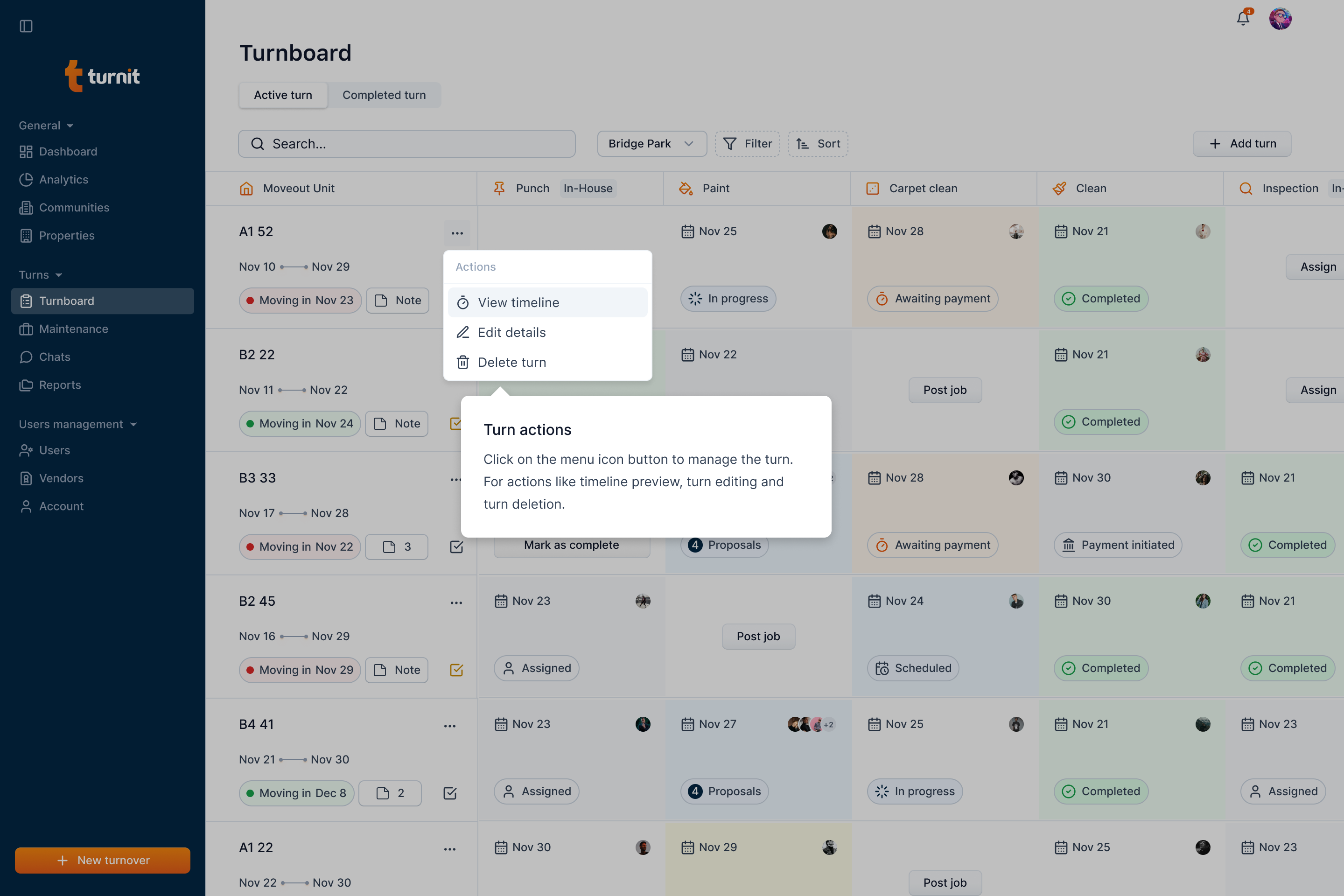
Click the view timeline option.
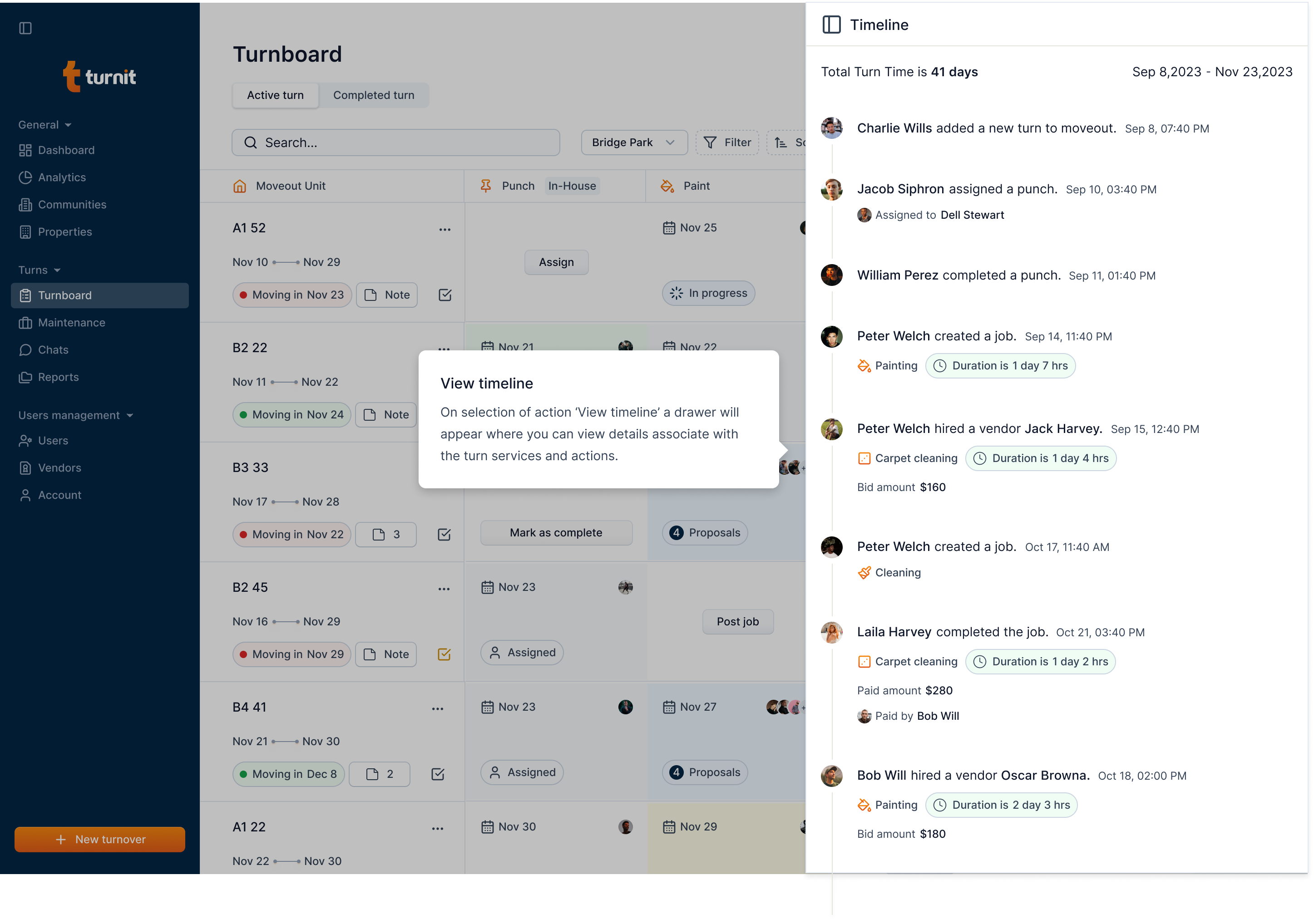
In the timeline, the date is the actioned date. For example, for an event of hiring a vendor, the date represents when the manager hired the vendor in turnit.
Similarly, for the completed turnover event, the date implies when the manager completed the turnover in Turnit. Even though manager backdates the turnover completion time, this actioned timed won't be changed since it represents the time when user performs the action in Turnit.