Add User
Info
Not available to all users
To add a user, click the "Add user" button.
After clicking the button, a form will open in a pop-up. Here, you can enter the user's information.
Fields in the "Add User" Form
- Name: Enter the full name of the user.
- Email:Provide the user's email address.
- Number: Select the country code and enter the user's phone number.
- Role: Choose the appropriate role for the user. The available roles are:
- Property Manager
- Executive Property Manager
- Service Professional
- Community: Assign the community to the user from the drop-down list.
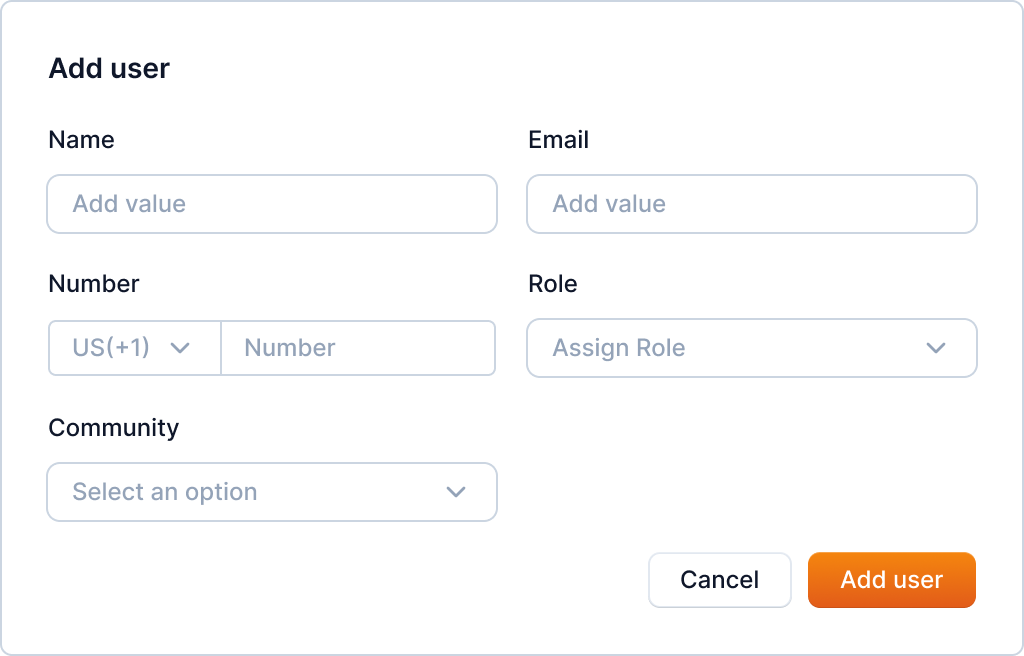
Enter the user's information and click the "Add user" button to add the user.
Note
The role can be Property Manager, Executive Property Manager, or Service Professional.