Price Change History
You can find the price change history and any pending request from the "Price change request" tab in the job details.
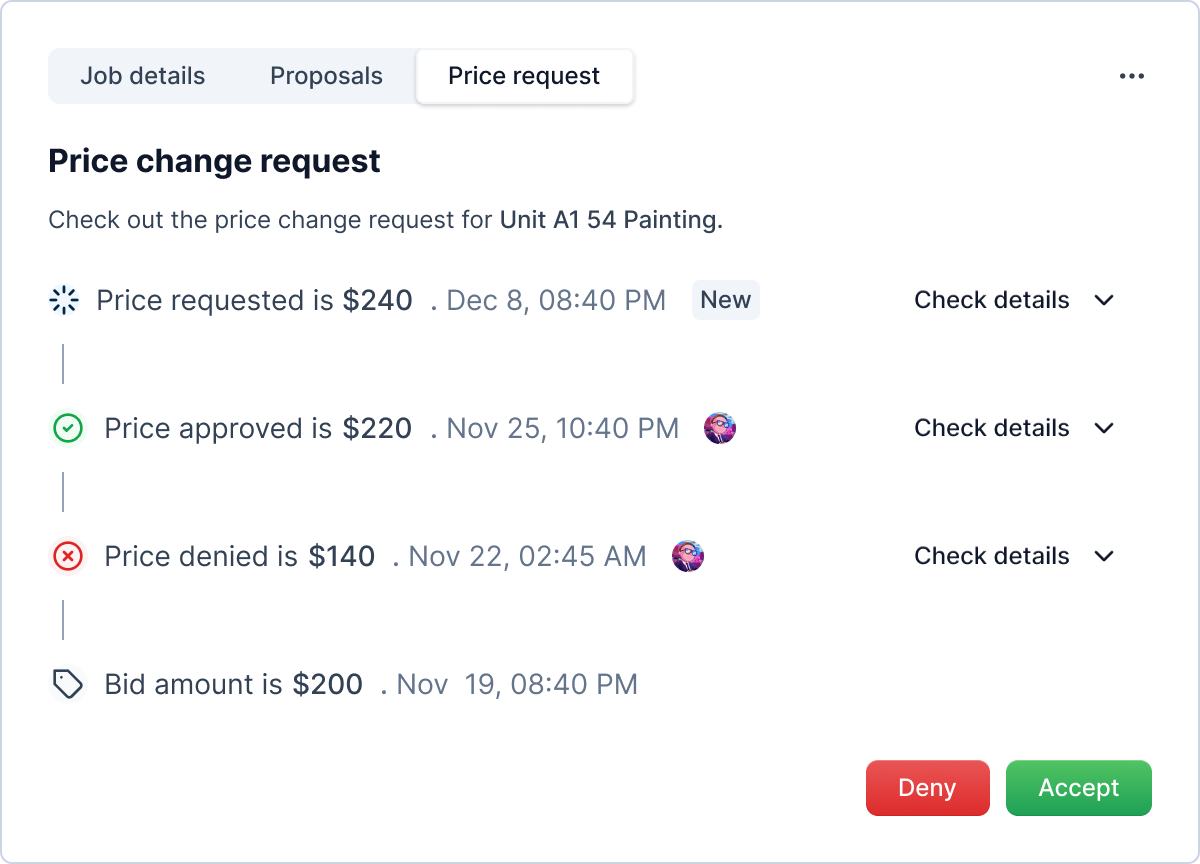
You can check the details of the price change request as sent by the vendor by expanding each request using "View details" link.
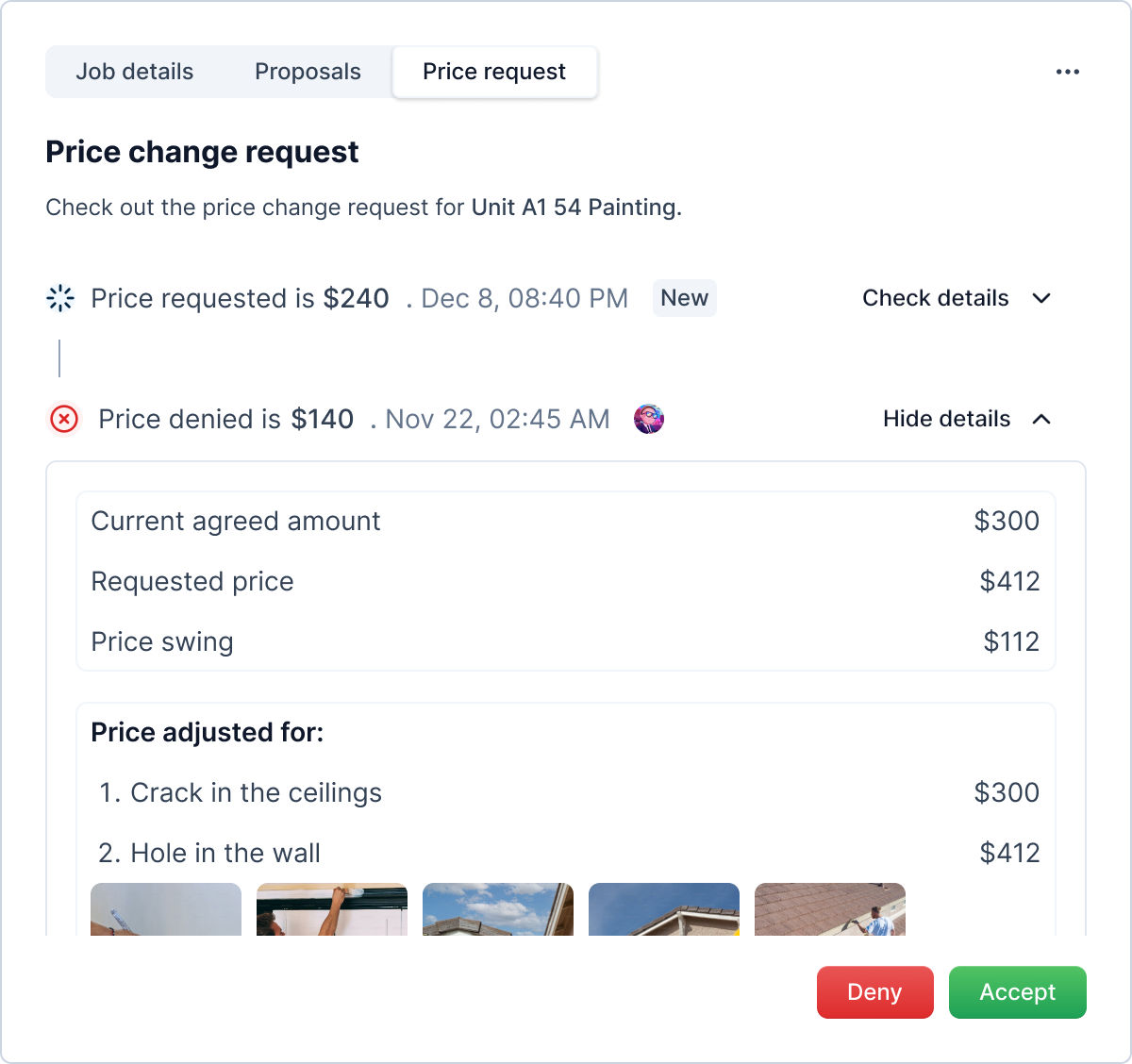
Price Change Request Actions
Info
Not available to all users
If there is any pending request, you will see two buttons "Deny" and "Accept". As the name suggests they deny or accept the price change request.
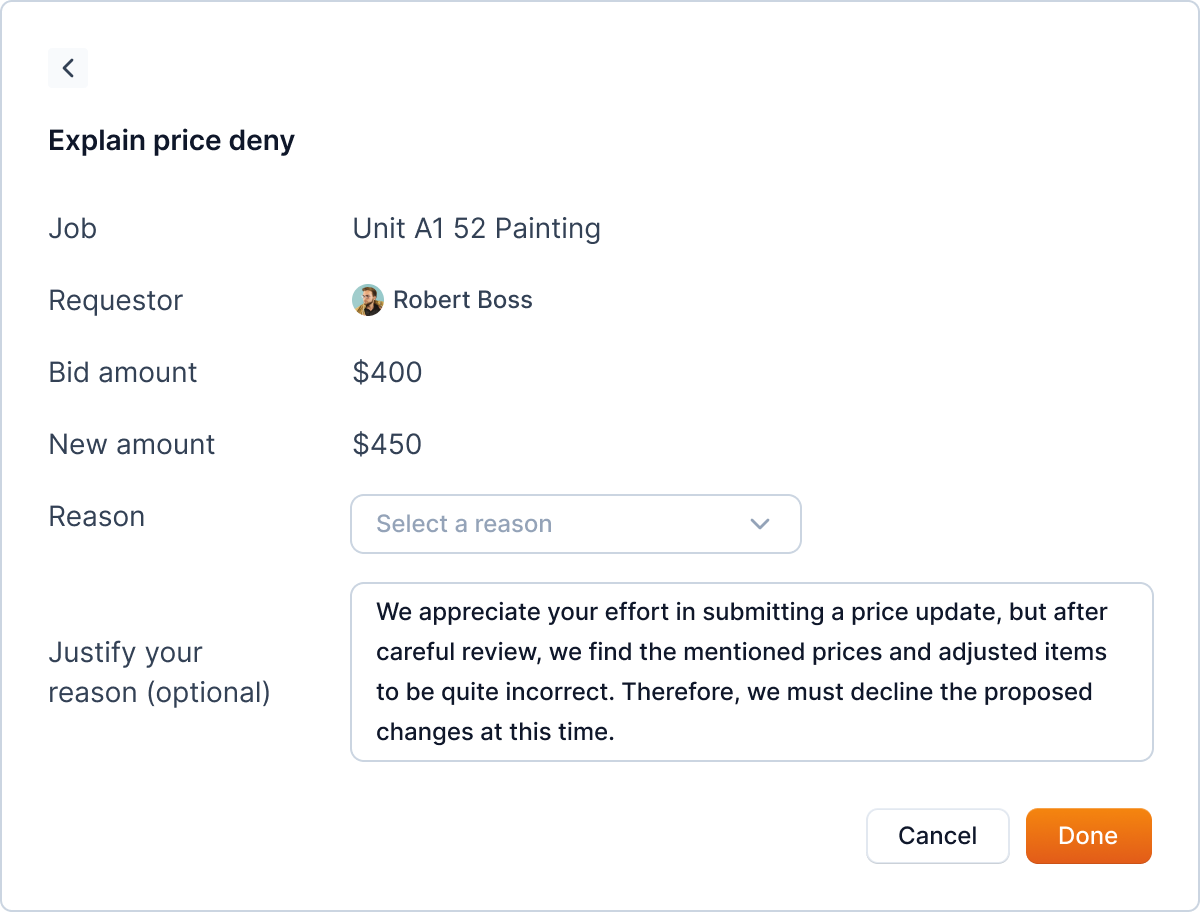
Upong denying, you will be asked to provide reason.
Note
Some requests are denied automatically, when a vendor send another price change request while one being pending. Likewise, when a job is completed with a pending request, it will be denied by the systems.
Such requests don't have a vendor avatar (e.g.  ).
).